
Monday, July 14, 2008, 01:29 AM - howtos
While I prefer the operating system Debian for development and general computery tasks, I use Ubuntu for art installations. From my experience Ubuntu has a great track record with diverse hardware and is a reliable performer with recent versions of free software. 30 minutes and you're up and running in most cases.
One great frustration with Ubuntu in a gallery/museum context however (may be fixed in 8.04) is the aggressive screen-blanking. For whatever reason disabling gnome-screensaver and various other power-management settings relating to the screen doesn't discourage it from blanking. Yes, asking the assistant of the piece to wiggle the mouse every 20 minutes is a pretty rubbish workaround..
So, here's how to permanently disable screen blanking under X on Ubuntu (and probably any other distribution). Pop this in your
/etc/X11/xorg.conf and restart X
Section "ServerFlags"

 Option "BlankTime" "0"

 Option "StandbyTime" "0"

 Option "SuspendTime" "0"

 Option "OffTime" "0"

EndSection
It's the little things..
Found here.
| permalink
Sunday, June 25, 2006, 08:55 PM - howtos
Beagle is an 'instant search' tool for Linux systems, and normally works in conjunction with the Gnome Desktop, which I don't run. being able to instantly find files from the commandline is thus something i've wanted for a while. here's a simple howto for those of you that'd like instant search from the CLI. it assumes you have a Debian based system:
sudo apt-get install beagle
create a beagle index directory:
mkdir ~/.beagle-index
index all of $HOME:
sudo beagle-build-index --target ~/.beagle-index --recursive ~/
start the beagle daemon as $USER. it automatically backgrounds:
beagled
run 'beagle-query' in the background so that it looks for live changes to your indexed file system.
beagle-query --live-query &
now create a file called 'foobar' and search for it with:
beagle-query foobar
the result should instantly appear.
it may be better to alias it as 'bfind' or something in ~/.bashrc and start 'beagled' and 'beagle-query --live-query &' from ~/.xinitrc or earlier.
enjoy
Thursday, April 13, 2006, 07:21 PM - howtos

fellow Kiwi Adam Hyde just sent through some snaps of a little workshop conducted in Lotte Meijer's house in Amsterdam over the snowy new-year.
we spontaneously decided to make TV transmitters according to a plan devised by Tetsuo Kogawa, a mate of Adam's. Adam and Lotte had the gear, so we got busy.
Marta, Adam, Lotte and I each soldered a board up, but Lotte's worked the best. the board has a little variable resistor for tuning channels and to our complete astonishment gave us a near perfect colour reception with a composite cable from a DVCam hardwired onto the board. we got around 10m of range between the transmitter and the TV before the signal was lost due to occlusions in the house itself. with a few boosters used in serial this range would be (hypothetically) exponential.
fun and games - build one yerself!
Thursday, February 2, 2006, 10:07 PM - howtos
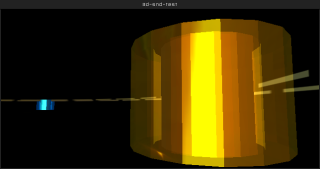
i've been playing around with creating little demo's in blender that explore it's limits for positional (3D) audio. as it goes the limits a
re near and not very interesting. regardless it's perfectly possible to create installations using point based audio. i'm working on a series of
these now. in the meantime here's a little HOWTO blender file..
PKEY in the camera window to play. ARROWKEYS to move, LMB-click and drag to aim (walk/aim stuff nicked from a blender demo file).
for those without blender, but just want to see the results, here is a Linux binary
. just make it executable (with KDE/Gnome or chmod +x file) and click or ./file to play.
Monday, January 9, 2006, 06:25 PM - howtos
I encountered a strange error when compiling both Blender-2.40 and Mplayer CVS.
/usr/lib/libGL.a(glxcmds.o): In function `glXGetMscRateOML':

undefined reference to `XF86VidModeGetModeLine'
I was initially a bit thrown seeing references to an XFree86 function given I now run X.org. After poking around in all the wrong places (were Blender and MPlayer still being built against ol' XFree86)? It turns out I needed:
libxxf86vm-dev.
Friday, November 18, 2005, 06:00 PM - howtos
Perhaps a less known fact that the UNIX program 'tree' (that prints the fs hierachy to stdout) actually has an HTML formatting option that can come in handy if you quickly want to generate singular overview of a location in your filesystem complete with links. Here's an example of the below command run from within /home/delire/share/musiq on my local machine; naturally none of the links will work for this reason.
tree -T "browse my "`pwd` -dHx `pwd` -o /tmp/out.html
Friday, November 18, 2005, 05:39 PM - howtos
After developing several facial spasms trying to trying to find a simple means of re-orientating video (for some reason it comes off our Canon A70 camera -90) I discovered mencoder has an easy solution:
mencoder original.avi -o target.avi -oac copy -ovc lavc -vf rotate=2
Worth noting are the other values for rotate, which also provides flipping. I can't see an easy way to do this with transcode, oh well.
Thursday, September 8, 2005, 09:20 PM - howtos

Adding network transparency to blender interfaces and games is reasonably easy with Wiretap's Python OSC implementation. Therein blender projects can be used to control remote devices, video and audio synthesis environments like those made in PD,even elements of other blender scenes - and vice versa. Here's one way to get there.
Grab pyKit.zip from the above URL, extract and copy OSC.py into your python path (eg /usr/lib/python-<version>/) or simply into the folder your blender project will be executed from.
Add an 'Empty' to your blender scene, add a sensor and a Python controller. Import the OSC module in your Python controller and write a function to handle message sending. Finally, call this function in your gamecode. Something like this:
import OSC

import socket

import GameLogic

import Rasterizer


# a name for our controller

c = GameLogic.getCurrentController()

# a name for our scene

scene = GameLogic.getCurrentScene()

# find an object in the scene to manipulate

obj = scene.getObjectList()["OBMyObject"]

# setup our mouse movement sensor

mouseMove = c.getSensor("mouseMove")


# prep some variables for mouse input control

mult = (-0.01, 0.01) # <-- a sensitivity multiplier

x = (Rasterizer.getWindowWidth()/2-mouseMove.getXPosition())*mult[0]

y = (Rasterizer.getWindowHeight()/2-mouseMove.getYPosition())*mult[1]


# prep a variable for our port

port = 4950

# make some room for the hostname (see OSC.py).

hostname = None

# an example address and URL

address = "/obj"

remote = "foo.url"


# OSC send function adapted from pyKit suggestion.

def OSCsend(remote, address, message):

    s = socket.socket(socket.AF_INET, socket.SOCK_DGRAM)

    print "sending lines to", remote, "(osc: %s)" % address

    osc = OSC.OSCMessage()

    osc.setAddress(address)

    osc.append(message)

    data = osc.getBinary()

    s.sendto(data, remote)


# a condition for calling the function.

if mouseMove.isPositive():

    obj.setPosition((x,y, 0.0)) # <--- follow the mouse

# now call the function.

    OSCsend((remote, port), "/XPos", obj.getPosition()[0])

    OSCsend((remote, port), "/YPos", obj.getPosition()[1])
The screenshot above is from a blender file that puts the above into practice. Grab it here. There's no guarantee physics will work on any other version of blender than 2.36.
For those of you not familar with blender, here's the runtime file, just
chmod +x and ./blend2OSC. (Linux only). You may need a lib or two on board to play. There are no instructions, just move the mouse around and watch the OSC data pour out.
In this demo, collision events, orientation of objects and object position are captured.
The orientation I'm sending is pretty much useless without the remaining rotation axes. It was too tedious to write it up - you get the idea.
To send all this to your PD patch or other application, just set your OSC listener to port
4950 on localhost. Here is a PD patch I put together to
demo this. Manipulate the variable 'remote' in the blend2OSC.blend Python code to send control data to any other machine.
Wednesday, September 7, 2005, 02:04 AM - howtos
Here's a little demo of 'physical' audio sequencing using blender. This will become more interesting to play with over time, at the moment it's merely a proof of concept. Blender is a perfect environment to rapidly prototype this sort of thing. There's not a line of code I needed to write to get this up and running.

Playing around with restitution and force vectors is when things start to become a little more interesting in the context of a rythmical sequencing environment. I'm also toying with OSC and Python to allow for several users to stimulate, rather than control, the physical conditions the beat elements are exposed to.
Have a play with this in the meantime. It's Linux only.. 'chmod +x' or rightclick (KDE/Gnome) and make executable, Those of you familiar with blender grab the blender file here. Make sure volume is up. First 'bounce' will be loud however so watch out!
Instructions for play.
RKEY - Rotates the view. 1KEY...6KEY move the 'paddles'.